


3D Camera v1.476 apk
Requirements:
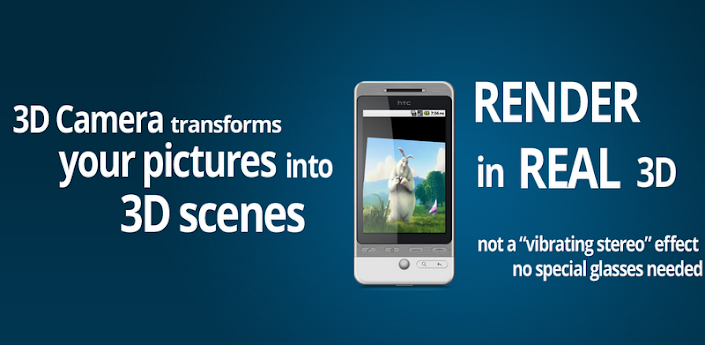
Overview: 3D Camera is experimental and cutting-edge: it uses research-grade algorithms to generate an OpenGL rendering of a 3D scene computed from two of your pictures.

Create 3D pictures yourself.
3D Camera v1.476 apk
- It is very different from anything in its category available on the Market. It has NO equivalent on the iPhone.
- 3D Camera is experimental and cutting-edge: it uses research-grade algorithms to generate an OpenGL rendering of a 3D scene computed from two of your pictures.
- No 3D or red-blue glasses needed, no 3D screen is necessary either. Any phone equipped with a classical camera can run it.
- You can navigate freely in the scene: move in all directions and zoom in/out. The accelerometer is fully supported.
- New feature: you can share your 3D scenes online (recent browser required), and post it on Facebook/Twitter/Google+ etc!
HOW TO GET THE BEST RESULTS:
3D Camera v1.476 apk
- The first thing you need to know is: this application is as powerful as it is sensitive. In other words, if the pictures are not taken correctly or if the scene is a bit unusual, the algorithms will output a bad 3D scene. Here is what we know.
- Read the 3D Camera guide first (inside the main menu, press your phone menu button, then “Tutorial”).
- In short, it works best with two very close pictures of an inanimate object, which is far away from a still background.
- If you photograph a person, make sure she/he really doesn’t move.
- When translated to the right, the camera should see exactly the same view of the object as in the left picture. A translation means that you should not make a circular motion around you or around the object.
- The distance between the camera and the foreground matters. It should be at least 1 meter (3 feet).
- Uniform backgrounds (white walls) confuse the application.
- Practice! You will not create a perfect 3D scene from your first try.
If everything fails, our final words are: 3D Camera does not work in all cases. No need to give us a bad rating after one or two failed attempts (although others already did that..). The app cannot be both cutting-edge and perfect. We have put a lot of effort (and set up a free server for you) to give the possibility to see and *use* the research in 3D scene reconstruction from 2D pictures. We doubt any other app will attempt that any time soon..
FAQ
Q: It says the application is always offline, or it told me to update. Why can’t my old version work online?
A: 3D Camera needs a server to generate 3D scenes. We’re continuously changing the server to improve 3D Camera. Older versions won’t be compatible. Also, if you live in China, it’s likely that our Google server is blocked.
Q: I can’t take pictures, the screen is blank.
A: We are aware of a problem on some phone models, where the camera preview cannot be activated. There is a workaround: take two pictures using the default Android camera application, then import them using the “Import Pictures” menu in 3D Camera.
Q: When I create my project, it fails with the “repair me” logo, or it keeps saying “server is busy”.
A: The 3D Camera server may be under maintenance. We typically fix it quickly.
Q: The server is slow, generating my 3D scene takes a long time.
A: 2 minutes? That’s normal. The server really does up to 2 minutes of intense computations for each scene. More than 5 minutes? Something is wrong.
Q: Why does 3D Camera upload to a server anyway?
A: Creating the scene would take too long on a phone. We’re merely speeding things up by 10x by providing you this free server.
Q: The 3D effect is very wrong on the scene I have created.
A: There are very specific guidelines for taking the two pictures. You have to strictly adhere to them. Please read the section above (“How to get the best results”). The app will not warn you if you take the pictures wrongly, because it is impossible to detect.
Free 3D Camera v1.476 apk


